
Best Authenticator App Android: 6 Free Apps Reviewed and Setup Guide
Choosing the right authenticator app android is no longer just about finding an application that generates six-digit codes. Backup options, device migration, biometric protection, privacy, offline access, and cross-platform support can make a major difference when you actually need to recover an account.
Quick answer: For most Android users, 2FAS offers the best balance of simplicity, privacy, backups, and free features. Aegis is our top recommendation for users who want maximum local control, while Ente Auth is better for people who need their 2FA codes across Android, desktop, and other devices. Google Authenticator remains the easiest option for beginners.
Recent Android community discussions also frequently recommend Aegis, Ente Auth, and 2FAS as alternatives to Google Authenticator. Users particularly praise Aegis for local control, Ente for cross-platform syncing, and 2FAS for its interface and browser integration.
This guide compares six leading authenticator app android choices based on practical use rather than marketing claims. We look at security, backups, user reviews, ease of migration, and which type of user each app suits best.
1. What Is an Authenticator App on Android?
An authenticator app android is a security application that generates temporary verification codes used for two-factor authentication, commonly called 2FA.
When a website supports TOTP authentication, you normally:
- Enter your username and password.
- Open your authenticator app.
- Find the relevant account.
- Enter the temporary code.
- Complete the login.
Most TOTP codes refresh approximately every 30 seconds and can be generated locally without an internet connection.
Google confirms that Google Authenticator can continue producing verification codes without mobile service or internet access.
This is an important distinction because an authenticator app android is not simply an SMS replacement. The secret used to generate codes is stored by the authenticator and used locally to calculate each new code.
If you search what is a free authenticator app, the answer is simple: it is an application that can generate authentication codes without requiring payment for its core TOTP functionality.
Many excellent free authenticator apps exist, so paying for an application is not automatically necessary.
Download Authenticator App
Secure your accounts with fast, reliable two-factor authentication. Download now and protect your login in seconds.
2. What to Look for in the Best Android Authenticator App

The best android authenticator app should do more than generate a correct code.
Before installing one, consider these six areas.
Backup and recovery
This should be one of your highest priorities.
A perfect authenticator app android becomes a problem if you lose your phone and discover you never backed up your tokens.
Look for:
- Encrypted backups
- Local export
- Cloud backup
- Account synchronization
- Simple migration to a new phone
App lock
An authenticator should ideally support:
- PIN protection
- Fingerprint unlock
- Other Android biometric authentication
This creates another barrier if someone gains physical access to your unlocked phone.
Offline access
TOTP generation should continue without a network connection.
This makes an authenticator app android useful when travelling, when your mobile connection fails, or when a service outage prevents normal network access.
Privacy
Some users prefer storing authentication secrets locally. Others value automatic cloud synchronization because it reduces the chance of losing their codes.
Neither approach is automatically right for everyone.
Import and export
If you have 30 or 50 accounts, manually configuring them again is painful.
Good import and export tools make changing your authenticator app android much easier.
Ease of use
Security software should not make normal authentication frustrating. Clear account names, search, icons, folders, and easy QR scanning become increasingly important as your number of 2FA accounts grows.
🗺️ Browse How-To Guides:App Authenticator: Complete Guide to 2FA, OTP Codes, Setup & Recovery
3. 6 Best Authenticator Apps for Android in 2026
After comparing features, official documentation, Android availability, and user feedback, these are our recommended options.
| App | Best For | Backup / Sync | Open Source | Cost |
| 2FAS | Best overall free option | Google Drive / export | Yes | Free |
| Aegis | Privacy and local control | Encrypted local backup | Yes | Free |
| Ente Auth | Multiple devices | Encrypted sync | Yes | Free |
| Google Authenticator | Beginners | Google Account sync | No | Free |
| Microsoft Authenticator | Microsoft users | Cloud backup | No | Free |
| 2Stable Authenticator | Multi-device workflow | Account/device ecosystem | No | Free/Premium features |
Each authenticator app android has a slightly different philosophy. The correct choice depends on whether you prefer convenience, privacy, open-source software, or multi-platform access.
4. Google Authenticator: Best for Simple 2FA

Google Authenticator remains one of the most recognizable authenticator app android options.
Google Play currently shows more than 100 million downloads, making it one of the most widely deployed Android authentication applications.
Why we like it
Google Authenticator is easy to understand.
Scan a QR code, and the service appears in your account list. There is very little configuration required.
Google now also supports synchronization of verification codes through a Google Account. If you install Google Authenticator on another compatible device and sign into that account, synced codes can become available there.
You can alternatively use it without a Google Account and keep the codes locally.
User feedback
Google Play currently gives the app an overall rating around 3.9 stars, based on hundreds of thousands of reviews.
Community opinion is more mixed. Some Android users remain completely satisfied with Google Authenticator, while others move to Aegis, Ente, or 2FAS for additional backup, organization, or open-source features.
Best for
Use this authenticator app android if you want:
- Simple setup
- Google Account synchronization
- Offline codes
- Easy account transfer
- A familiar provider
If someone searches free authenticator app google, Google Authenticator is usually the product they mean.
Our rating: 8.8/10
💡 Discover Helpful Guides: Facebook Authentication App: Setup, Login Codes, and Recovery Guide
5. Aegis Authenticator: Best for Android Privacy and Control
Aegis is one of the strongest choices if you specifically want a free authenticator app for android rather than a service designed equally around several operating systems.
Aegis describes itself as a free, secure, open-source Android application for managing two-step verification tokens. It supports an encrypted vault, biometric access, import/export functions, customization, and automatic backups.
Why we like it
Aegis gives Android users considerable control.
Authentication secrets can remain inside an encrypted local vault, and users can decide how and where backups are stored.
According to the Aegis privacy policy, the app does not collect device data, while camera permission is used for QR scanning.
User feedback
Aegis receives particularly strong recommendations in Android enthusiast communities. Users frequently highlight:
- Open-source development
- Local encrypted backups
- Import/export
- No advertising
- Biometric protection
- Control over authentication secrets
Recent Reddit conversations about alternatives to Google Authenticator repeatedly recommend Aegis, with users specifically mentioning local backups and reduced dependence on Google services.
The limitation
Aegis is primarily an Android-focused solution.
If you want the same authenticator database directly on Android, iPhone, Mac, Windows, and a web browser, Ente Auth may be more convenient.
Best for
Aegis may be the best free authenticator app for android for users who value privacy and local control.
Our rating: 9.4/10
6. 2FAS Auth: Best Free All-Round Android Authenticator
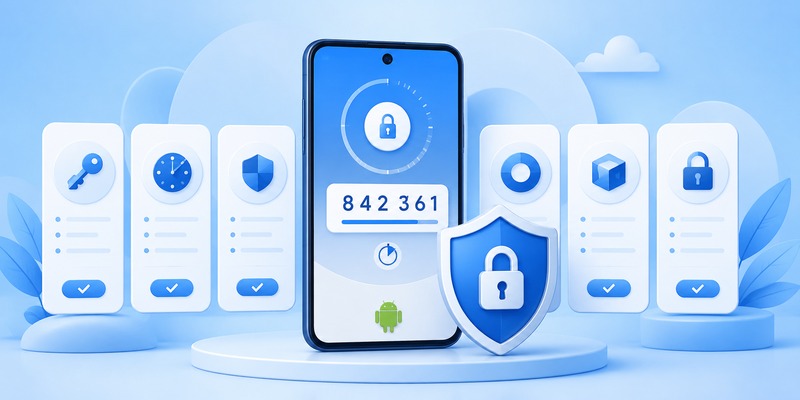
For the average user, 2FAS is our top overall authenticator app android recommendation.
2FAS is free, open source, works offline, and supports encrypted local storage. Its official documentation also provides synchronization and backup options using Google Drive on Android as well as encrypted export files.
Why we like it
2FAS strikes a good balance between security and usability.
You get:
- QR scanning
- Offline authentication
- PIN or biometric protection
- Google Drive backup
- Export options
- Browser integration
- No account requirement for basic use
The official 2FAS site states that its authenticator remains free to use.
What users say
Google Play currently shows a rating around 4.3 stars from more than 30,000 reviews and over five million downloads.
User reviews commonly praise its simple interface and backup process. One recurring positive theme is how easily tokens can be recovered after switching Android phones when Google Drive backup was configured beforehand.
Recent Reddit users also mention 2FAS positively for its browser integration, which can simplify entering codes on a computer.
The limitation
Remember that backups must be configured before a device is lost. 2FAS notes that if codes were stored only locally and neither backup nor export was enabled, the company cannot recover those tokens for you.
Best for
If you ask what is the best free authenticator app, 2FAS is the option we would recommend to the broadest group of Android users.
Our rating: 9.5/10
💡 Discover Helpful Guides: Authenticator App Code: How to Get Verification Codes and Fix Common Problems
7. Ente Auth: Best for Cross-Platform Sync
Ente Auth is a strong authenticator app android choice for people who dislike being dependent on one phone.
Its key advantage is cross-platform access.
Why we like it
Ente focuses heavily on encrypted synchronization and supports a workflow spanning multiple device types.
This is useful if you regularly authenticate while using:
- Android
- Windows
- macOS
- Multiple phones
- Desktop environments
Google Play currently shows Ente Auth at roughly 4.6 stars with more than 2,000 reviews.
What users say
Recent user feedback frequently praises the app’s interface, synchronization, offline capability, and cross-platform availability.
In a 2026 Android community discussion, Ente Auth received multiple recommendations, with one user particularly praising automatic synchronization, desktop/mobile/web clients, imports and exports, and the ability to see upcoming authentication codes.
Google Play reviewers similarly mention cross-platform availability and encrypted export as major reasons for switching.
Best for
Choose this authenticator app android if you frequently move between phone and desktop and want synchronization without manually copying tokens.
Our rating: 9.3/10
8. Microsoft Authenticator: Best for Microsoft Users

Microsoft Authenticator remains another major authenticator app android option.
Google Play currently lists more than 100 million downloads and a rating around 4.7 stars.
Why use it?
Microsoft Authenticator supports:
- Microsoft accounts
- Work and school accounts
- Third-party TOTP accounts
- Passwordless Microsoft authentication
- Cloud backup
Microsoft confirms that third-party accounts such as Amazon, Facebook, Instagram, and Google can be added to Authenticator.
Android users can also enable cloud backup for supported credentials.
What users should know
Microsoft’s recovery system has more restrictions than some alternatives. For example, Microsoft states that backups can only be restored to the same device type: an Android backup cannot simply be restored onto an iPhone.
For users already working heavily with Microsoft services, however, that may be an acceptable trade-off.
If you search free authenticator app microsoft, Microsoft Authenticator is free to download and use for its core authentication functions.
Best for
This authenticator app android works best for users already using Microsoft 365, Outlook, Entra, or workplace Microsoft accounts.
Our rating: 8.7/10
🗺️ Browse How-To Guides: Authenticator App New Phone: How to Transfer It the Right Way
9. Authenticator App by 2Stable: Best for a Multi-Device Ecosystem
Another option worth considering is authenticator app 2stable android.
2Stable’s Authenticator App now lists Android support alongside its broader Apple and browser ecosystem. Its service also includes browser-extension functionality and import support from Google Authenticator.
Why consider it?
The application is more attractive to users who want 2FA to work as part of a wider device ecosystem rather than remaining Android-only.
Its feature set includes:
- Android support
- QR-based account import
- Browser integration
- Google Authenticator migration
- Multi-device access options
Who should use it?
For users who only want a basic authenticator app android, 2FAS or Aegis may be simpler.
2Stable becomes more interesting if you use several platforms or already use its authentication ecosystem.
Our rating: 8.5/10
10. How to Set Up an Authenticator App on Android
Regardless of which authenticator app android you choose, the setup process is usually similar.
Step 1: Install a trusted authenticator
Download your selected application from Google Play or the developer’s verified distribution channel.
Avoid unofficial APK files.
Step 2: Enable 2FA on the account
Open the security settings of the website you want to protect.
Look for:
- Two-factor authentication
- Two-step verification
- MFA
- Authenticator app
Choose the authenticator option.
Step 3: Scan the QR code
Open your authenticator app android and select Add Account or Scan QR Code.
Point your phone at the QR code shown by the service.
Step 4: Confirm the code
The application should display a six-digit or similar temporary code.
Enter it into the website.
Your account should then confirm that 2FA has been activated.
Step 5: Save recovery codes
Do not skip this step.
Recovery or backup codes may be the only practical way to access your account if your Android device is lost.
Store them somewhere separate from the phone.
Step 6: Configure backup
If your authenticator app android provides encrypted backup or synchronization, configure it before you actually need it.
The worst time to discover that backup was disabled is after your phone has already been lost or damaged.
🗺️ Browse How-To Guides: TOTP Authenticator App Guide 2026: How to Use & Compare the Best Options
11. Free Authenticator Apps for Android vs iPhone, Mac, and PC
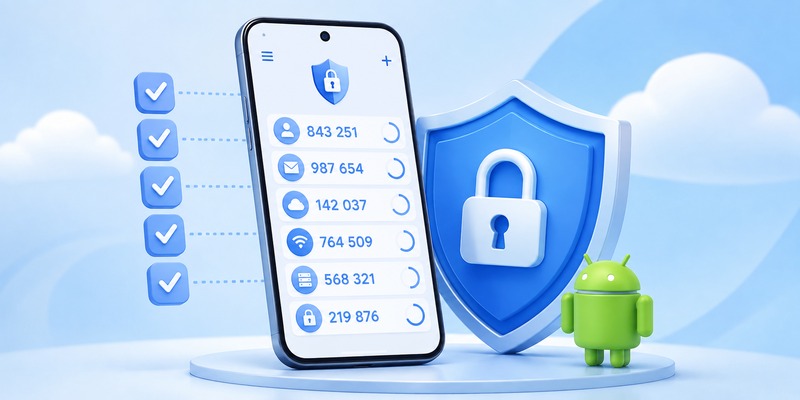
Many people searching for an authenticator app android are actually trying to find one solution for several devices.
Fortunately, many 2FA applications are free.
Android
Our top best free authenticator app choices on Android are:
- 2FAS
- Aegis
- Ente Auth
- Google Authenticator
- Microsoft Authenticator
So, is there a free authenticator app for Android? Absolutely. You do not need a paid subscription just to generate standard TOTP codes.
iPhone
People searching for a free authenticator app for iphone, free authenticator app iphone, or asking is there a free authenticator app for iphone also have several options.
Google Authenticator, Microsoft Authenticator, 2FAS, and Ente are examples of apps with iOS availability.
The best free authenticator app for iphone depends on whether you prioritize simple local codes or cross-device synchronization.
Mac and PC
A free authenticator app for mac or free authenticator app for pc is less common because many traditional authenticator tools started as mobile applications.
For users looking for the best free authenticator app for mac, cross-platform products such as Ente are worth considering.
The same logic applies to searches for a free authenticator app for windows.
A desktop authenticator can be convenient, but consider whether keeping the password and second factor on the same computer fits your security model.
🗺️ Browse How-To Guides: Best OTP App Guide 2026: Top Authenticator Apps Reviewed & Compared
12. Common Problems With Android Authenticator Apps
Even the best authenticator app android can occasionally appear to stop working.
The code is rejected
Check:
- Whether the code expired
- Whether you selected the correct account
- Whether the Android device time is correct
Google notes that current Authenticator versions rely on the operating system’s time settings, so incorrect device time can cause code problems.
Is authenticator app down?
People frequently search is authenticator app down when their verification code fails.
However, traditional TOTP generation happens locally. An internet outage therefore does not necessarily stop an authenticator app android from producing codes.
The problem may instead involve:
- Incorrect device time
- The website being unavailable
- An expired code
- A wrong account entry
- Cloud synchronization problems
You changed phones
Restore your encrypted backup or import your previously exported database.
Do not delete the old phone until you have verified that the new device generates valid codes.
You lost your phone
Use recovery codes supplied by each protected service.
This is why recovery preparation matters more than the brand of authenticator app android you choose.
13. Which Android Authenticator App Should You Choose?
Our final rankings are:
| Rank | App | Best Use | Score |
| 1 | 2FAS | Best overall | 9.5/10 |
| 2 | Aegis | Privacy and local control | 9.4/10 |
| 3 | Ente Auth | Cross-platform sync | 9.3/10 |
| 4 | Google Authenticator | Beginners | 8.8/10 |
| 5 | Microsoft Authenticator | Microsoft ecosystem | 8.7/10 |
| 6 | 2Stable Authenticator | Multi-device ecosystem | 8.5/10 |
For most people, 2FAS is the best free authenticator app for android because it combines ease of use, backup options, open-source development, and useful browser integration.
Choose Aegis if you prefer local control.
Choose Ente if synchronization is your priority.
Choose Google Authenticator if simplicity matters most.
Choose Microsoft if you already live inside Microsoft’s ecosystem.
There is no universally perfect authenticator app android. What matters is finding an application you understand, protecting its backups, and maintaining recovery codes for important accounts.
14. FAQs About Authenticator Apps
Are authenticator apps free?
If you are wondering are authenticator apps free, many of the best options are. Google Authenticator, Microsoft Authenticator, Aegis, 2FAS, and Ente all provide core authentication functionality without requiring users to purchase a traditional subscription just to generate standard codes.
Similarly, the answer to is authenticator app free depends on the specific product, because some commercial applications also sell premium features.
What does “app authenticator Android” mean?
Searches such as app authenticator android normally refer to a 2FA application installed on an Android phone that generates one-time verification codes.
The phrase app authenticator free usually means the user wants the same functionality without a subscription.
Is ID.me Authenticator the same as a general authenticator?
A search such as id me authenticator app free usually relates specifically to authentication for the ID.me ecosystem.
If you need a general authenticator app android for many services, choose a standard TOTP-compatible application based on the requirements of each account.
Is there a special PayPal authenticator app?
The query paypal authenticator app free should not be confused with the name of a universal authentication product.
When enabling 2FA for a specific service, always follow that service’s current security instructions and use a supported authentication method.
What does “free sneaker authenticator app” mean?
A free sneaker authenticator app usually refers to applications that check whether sneakers are authentic or counterfeit.
That is a completely different search intent from a cybersecurity authenticator app android used for two-factor authentication.
Should I choose a free or paid authenticator?
For standard TOTP authentication, free software is often enough.
A paid product may make sense if you want password-manager integration, family sharing, enterprise administration, or other advanced features.
15. Final Thoughts
The best authenticator app android is not necessarily the application with the biggest brand name. Recovery options, backups, privacy, migration, and everyday usability matter much more once you start protecting dozens of accounts.
For most Android users, 2FAS offers the strongest overall balance. Aegis is an excellent alternative for privacy-conscious Android users, while Ente Auth is especially compelling for anyone who wants codes synchronized across multiple platforms.
Google Authenticator remains a practical beginner-friendly choice, and Microsoft Authenticator makes sense for users already invested in Microsoft accounts. 2Stable is another option for users who want a broader multi-device workflow.
Whichever authenticator app android you choose, configure backups before you need them, keep important recovery codes somewhere separate from your phone, and test your recovery process after moving to a new device.
A good authenticator app android should make two-factor authentication easy enough that you actually keep it enabled—and reliable enough that stronger security does not become a barrier to accessing your own accounts.
Download Authenticator App
Secure your accounts with fast, reliable two-factor authentication. Download now and protect your login in seconds.
