
Google Authenticator for PC Free Download: Full Guide For Everyone
Searching for google authenticator for pc free download usually means you want two-factor authentication codes available while working on a Windows computer.
You may want to avoid reaching for your phone each time you sign in. You might also be searching for a Windows 10 installer, Windows 7 version, desktop application, APK file, or completely free version of Google Authenticator.
There is one important fact to understand before downloading anything.
Google currently distributes Google Authenticator as a mobile application. Google’s official support documentation describes the app for Android and iOS, while the official Google Play listing specifically describes verification codes generated by the Google Authenticator app on your phone.
Therefore, google authenticator for pc free download does not currently mean downloading an official Google .exe installer for Windows.
Google Authenticator itself is available through Google’s official Android distribution and Apple’s App Store. The app can generate verification codes even when the phone has no network or cellular connection, and newer versions can synchronize codes through a Google Account.
This guide explains what PC users can actually download, whether Google Authenticator costs money, what to do with APK files, and the safest ways to use Google Authenticator while signing in on a desktop computer.
1. What Is Google Authenticator for PC Free Download?
The keyword google authenticator for pc free download can represent several different intentions.
Some users are looking for:
- A Windows desktop application.
- A Windows 10 installer.
- A Windows 7 version.
- An Android APK.
- A Chrome-compatible solution.
- A way to view TOTP codes on a PC.
- A free alternative to paid authentication software.
Google Authenticator is an application that adds a second verification step to supported online accounts. After you configure an account, the application generates temporary verification codes that you enter in addition to your password. Google’s official store descriptions state that these codes can be generated without a data or cellular connection.
A typical workflow is:
Website on PC
↓
Username + Password
↓
Website requests 2FA code
↓
Google Authenticator on phone
↓
Enter code on PC
↓
Login complete
That workflow explains why google authenticator for pc free download can be misleading.
The website may be running on your PC, but the second factor is traditionally generated on your mobile device.
This separation can also be useful because your password and authentication generator are not necessarily stored in the same application environment.
🗺️ Browse How-To Guides: Google Authenticator for Instagram: Setup & Fixes Guide
2. Is There an Official Google Authenticator App for Windows?
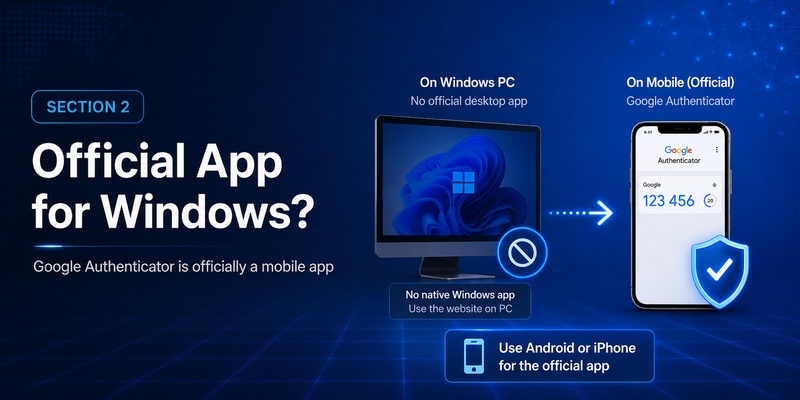
This is the most important question for anyone searching google authenticator for pc free download.
Google’s current official Authenticator documentation focuses on Android and iOS. The official Google Play listing is published by Google and describes Authenticator as generating codes on your phone; Google’s support documentation provides platform-specific instructions for mobile devices.
There is no official Windows desktop download listed alongside those official mobile distributions.
That means you should be cautious when a website advertises:
“Official Google Authenticator for Windows.exe”
or:
“Google Authenticator PC installer.”
A file can support the same TOTP standard without being Google’s official Google Authenticator application.
The search google authenticator for desktop free download may therefore return third-party authenticator software, browser extensions, Android emulators, and unofficial download sites.
Those are different products.
If your objective is specifically to use Google’s official application, the supported route is the mobile app.
If your objective is simply to generate compatible TOTP codes on a desktop, third-party software may exist, but it should be evaluated independently for security, maintenance, storage method, and developer reputation.
So when considering google authenticator for pc free download, distinguish between:
Official Google Authenticator: Google’s mobile application.
TOTP-compatible desktop application: A third-party product capable of generating similar verification codes.
They are not automatically interchangeable from a trust perspective.
Download Authenticator App
Secure your accounts with fast, reliable two-factor authentication. Download now and protect your login in seconds.
3. Is Google Authenticator Free?
A frequent question is is google authenticator free?
The official Google Authenticator listings on Google Play and Apple’s App Store provide the application directly through their standard app-installation interfaces, with Google listed as the Android developer and Google LLC associated with the official app.
For ordinary users looking for a free google authenticator app, there is no need to purchase a special desktop license just to generate standard Google Authenticator codes with the official mobile application.
Related searches include is google authenticator app free, google authenticator is it free, google authenticator cost, and does google authenticator cost money.
The important distinction is between Google Authenticator itself and third-party products.
A separate desktop authenticator, password manager, emulator, enterprise authentication service, or browser extension may have its own pricing model.
Do not assume a product is free or officially operated by Google just because its title contains “Google Authenticator.”
For google authenticator for pc free download, this means you should not pay for a supposed “Windows edition of Google Authenticator” under the assumption that Google requires a PC license.
Google’s official application distribution is mobile-focused.
4. Google Authenticator Free Download: Official Options
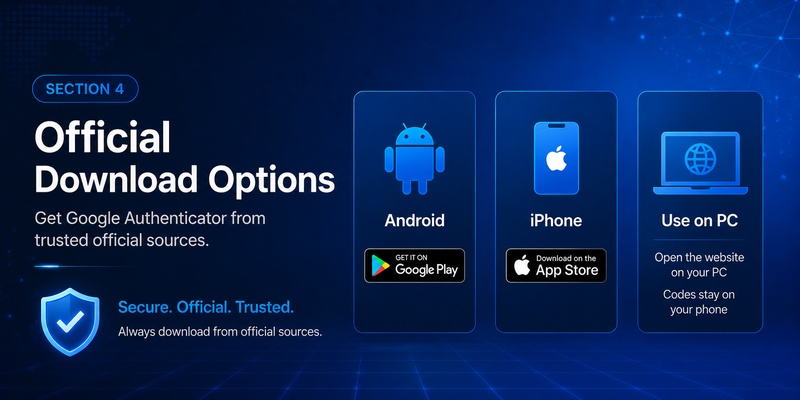
If you want google authenticator free download, use the official application store associated with your device.
Android
Google Authenticator is available on Google Play under Google’s developer account. The official listing states that the application adds a second verification step and can generate codes without network connectivity.
To install google authenticator app on Android:
- Open Google Play.
- Search for Google Authenticator.
- Verify that you are looking at Google’s official listing.
- Install the application.
- Open the app.
- Add an account by following the 2FA instructions provided by the service you want to protect.
iPhone and iPad
Google Authenticator is also distributed through Apple’s App Store. Its listing describes the same core second-step verification functionality and Google Account code synchronization.
The official route is therefore straightforward:
Android → Google Play
iPhone/iPad → Apple App Store
Windows PC → use mobile Authenticator alongside the PC
That last line is essential for interpreting google authenticator for pc free download correctly.
You normally do not need Google Authenticator installed directly on Windows to use authentication while logging into websites on Windows.
5. Can You Install Google Authenticator on Windows 10?
Users often search free download google authenticator for windows 10 because Windows 10 computers are commonly used for work accounts, VPNs, email, cloud platforms, gaming services, and administrative dashboards.
The official Google Authenticator application is not presented by Google as a native Windows 10 desktop application in Google’s current Authenticator documentation or official app listings.
So the recommended workflow for google authenticator for pc free download on Windows 10 is usually:
Step 1: Install Google Authenticator on your phone
Use Google Play or Apple’s App Store.
Step 2: Open the service on Windows 10
For example:
Windows browser
→ Account Settings
→ Security
→ Two-Factor Authentication
→ Authenticator App
Step 3: Display the QR code on the PC
The website may show a QR code or manual setup key.
Step 4: Scan it with your phone
Open Google Authenticator and add the account.
Step 5: Enter the generated code on Windows
Your PC and phone now work together during authentication.
If you specifically want to install google authenticator on pc, you may encounter Android emulators or independent TOTP desktop applications.
These should not be described as Google’s official Windows edition.
For highly sensitive accounts, keeping the authentication generator separate from the computer where you enter the password can also avoid concentrating every credential in one environment.
6. Google Authenticator for Windows 7: What You Should Know
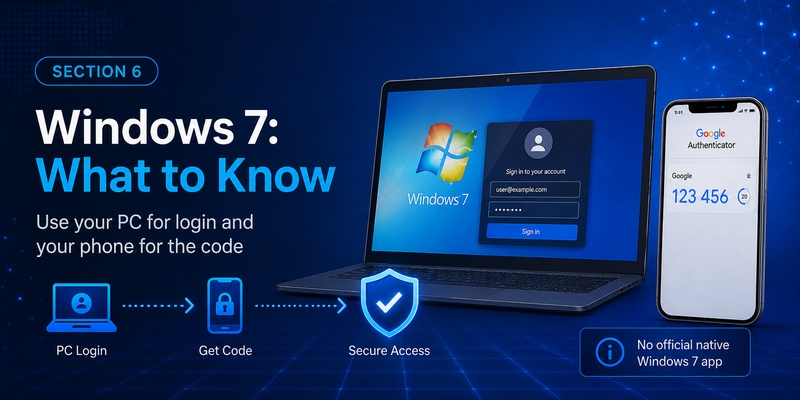
Another long-tail search is free download google authenticator for windows 7.
The same core limitation applies.
Google does not currently present Google Authenticator as a native Windows 7 application in its official Authenticator download documentation. Its official distribution is through mobile platforms.
Therefore, a search result claiming:
GoogleAuthenticator-Windows7.exe
should not automatically be trusted as an official Google file.
For users searching google authenticator for pc free download from an older Windows computer, the simplest architecture remains:
Windows 7 PC → Website login
Mobile device → Google Authenticator code
The computer itself does not need to generate the code.
This is important because TOTP authentication is designed so that the service validates a temporary code generated from an enrolled secret. The website does not care whether your login page is displayed on Windows 7, Windows 10, Windows 11, macOS, or another system, provided its authentication requirements are met.
If you are using Windows 7 for important account administration, also consider the broader security implications of relying on older desktop environments rather than trying to solve only the authenticator component.
7. Google Authenticator APK Download and APKPure
The phrase google authenticator apk free download typically comes from Android users who want the installation package directly.
A google authenticator apk is an Android application package.
It is not a Windows executable.
This distinction matters because downloading an APK does not create an official native PC version of Google Authenticator.
Google distributes the official Android application through Google Play.
Users may also search google authenticator apkpure or other APK mirror websites.
Those sites are third-party distribution channels rather than Google’s official Google Play listing.
For security software, the source deserves extra scrutiny.
An authenticator handles secrets used to generate future login codes. That makes source verification more important than it might be for an ordinary game or utility.
If Google Play is available on your device, using Google’s official listing is the straightforward option.
Downloading an APK should also not be confused with google authenticator for pc free download.
An APK is intended for Android environments. Running it on Windows typically requires another compatibility layer or emulator, which creates a different architecture and introduces another piece of software that must be trusted and maintained.
🛠️ Learn with Step-by-Step Guides: Battle.net Google Authenticator: 2FA Setup Guide A-Z 2026
8. How to Use Google Authenticator While Working on a PC
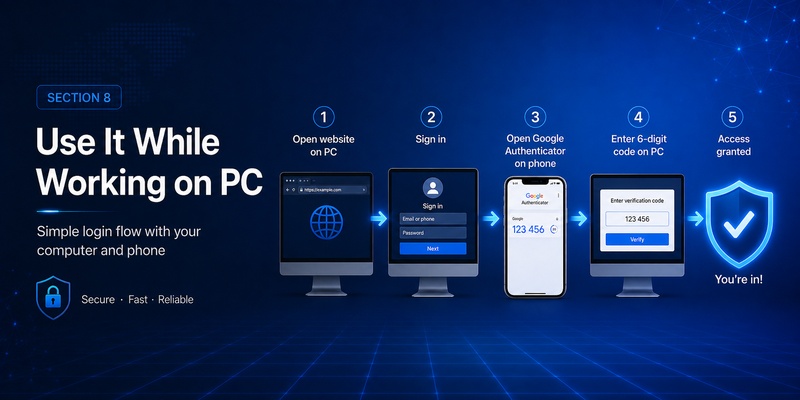
For most people, the best solution to google authenticator for pc free download is not actually installing Authenticator on the PC.
Instead, use the official phone application beside your desktop.
Here is the complete process.
First, enable 2FA on the website
Open the website or application account settings on your computer.
Look for:
- Security
- Two-Factor Authentication
- 2-Step Verification
- Multi-Factor Authentication
- TOTP
- Authenticator App
Select the authenticator option.
Second, scan the QR code
Open Google Authenticator on your phone.
Add a new account and scan the QR code displayed on your computer.
Third, verify setup
Google Authenticator starts generating a temporary code.
Enter it on the PC.
If accepted, setup is complete.
Fourth, save recovery methods
Store recovery codes securely if the service provides them.
Do not make your phone the only possible recovery path.
Fifth, use it during login
The next login becomes:
PC:
Username
Password
↓
Request verification code
Phone:
Google Authenticator
↓
Current code
PC:
Enter code
↓
Access
This fulfills the practical intent behind google authenticator for pc free download without requiring an unofficial Windows application.
Google’s official description confirms that Authenticator can generate verification codes even without an internet or mobile connection.
🗺️ Browse How-To Guides: Google Authenticator Tokocrypto – Setup and Security Guide
9. Desktop Authenticator Alternatives and Security Risks
Sometimes users genuinely need authentication codes directly on a PC.
For example:
- A phone is unavailable at a restricted workplace.
- A desktop-only workflow requires rapid repeated authentication.
- A test environment needs TOTP generation.
- An accessibility requirement makes mobile usage difficult.
In those cases, searching google authenticator for pc free download may lead to third-party TOTP applications.
The most important thing is understanding what you are installing.
A desktop application may be compatible with codes commonly associated with Google Authenticator without being Google Authenticator.
Evaluate:
- Who develops the application?
- Is it actively maintained?
- Where are TOTP secrets stored?
- Are backups encrypted?
- Can the application lock itself?
- Does it synchronize secrets to a cloud service?
- Can other Windows users access its database?
- Does it require unnecessary permissions?
Remember that your TOTP secret is more sensitive than a single google authenticator code free login value.
A six-digit code expires quickly.
The underlying secret can generate future codes.
Therefore, screenshots of QR codes, exported secrets, backup files, and unencrypted authentication databases should be protected carefully.
For many users, keeping Google Authenticator on a phone while using the website on the PC remains the simpler security model.
10. How to Install Google Authenticator Correctly
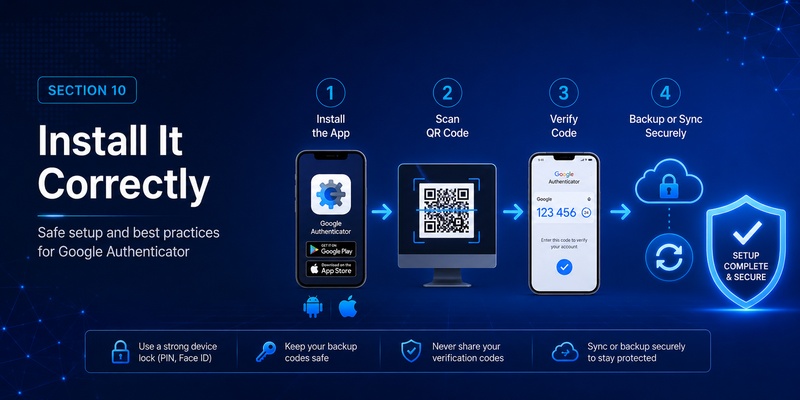
If your objective is to install google authenticator, use the official mobile application.
Android installation
- Open Google Play.
- Locate the official Google Authenticator listing.
- Confirm the developer/source.
- Install.
- Open the application.
- Follow the onboarding process.
- Scan the QR code from the account you want to protect.
Google’s Play listing describes the app as adding a second verification step and generating codes on the phone.
iOS installation
- Open Apple’s App Store.
- Search for Google Authenticator.
- Select the official listing.
- Install the application.
- Add your accounts.
The official iOS listing also supports synchronization of Authenticator codes through a Google Account.
Google’s support documentation says verification codes can be synchronized across devices by signing into a Google Account in Authenticator.
This makes device migration easier than older versions of Authenticator that depended more heavily on manual transfers.
But synchronization does not turn Authenticator into a native google authenticator for pc free download application.
It remains important to distinguish mobile synchronization from desktop Windows installation.
11. Common Google Authenticator PC Download Problems
“I cannot find Google Authenticator in the Microsoft Store”
This is expected if you are specifically searching for Google’s official mobile Authenticator as a native Windows app.
Google’s official documentation and current store distribution point users toward Android and Apple mobile platforms rather than a Windows desktop package.
“I found an EXE claiming to be Google Authenticator”
Do not assume the file is official.
Verify the software publisher and source before installing anything related to authentication.
“I downloaded the APK but Windows won’t open it”
An Android APK is not a normal Windows desktop executable.
This is why google authenticator apk free download and google authenticator for pc free download are not the same thing.
“Do I need internet for codes?”
Google’s official app descriptions state that verification codes can be generated even without network or cellular connectivity.
“Can I sync my accounts?”
Current Google Authenticator supports synchronizing verification codes across devices when you sign into your Google Account in Authenticator.
“Do I have to pay for codes?”
The official Google Authenticator application does not require users to purchase individual verification codes through Google’s normal app workflow.
Be wary of unrelated services that attempt to charge for “Google Authenticator codes.”
🛠️ Learn with Step-by-Step Guides: Download Google Authenticator App – Setup and Security Guide
12. Best Setup for Google Authenticator and PC Users
For most users searching google authenticator for pc free download, the recommended setup is simpler than downloading additional desktop software.
Use:
PC
→ Password and website login
Phone
→ Official Google Authenticator
Together
→ Two-factor authentication
This configuration works well because the PC handles your normal web session while the phone supplies the additional verification factor.
Install the official application through Google Play on Android or the App Store on iOS. Google’s current listings confirm that Authenticator generates second-step codes and can operate without an active network connection.
If you search free google authenticator, google authenticator free download, or ask whether the application costs money, you do not need a special paid Windows package to use the official Google Authenticator mobile application.
If you search free download google authenticator for windows 10 or free download google authenticator for windows 7, remember that Google’s official Authenticator distribution is mobile-focused rather than a native Windows download.
If you search for google authenticator for desktop free download, third-party desktop TOTP applications may appear, but they should not automatically be described as Google’s official software.
If you search for a google authenticator apk, use caution with unofficial mirrors. Google’s official Android distribution is available through Google Play.
And if your only goal is to sign in to websites from a Windows computer, you normally do not need to install google authenticator on pc at all.
Install it on your phone, scan the service’s QR code, and enter the temporary code into the website running on your computer.
That is the simplest way to satisfy the real intent behind google authenticator for pc free download while staying aligned with Google’s current official application model.
Download Authenticator App
Secure your accounts with fast, reliable two-factor authentication. Download now and protect your login in seconds.