
What Is Authenticator App? How It Works, How to Use It, and Why It Matters
If you have ever signed in to an account and been asked to enter a changing six-digit number after your password, you may have wondered: what is authenticator app?
An authenticator app is a security tool that generates temporary verification codes for your online accounts. These codes are used as part of two-factor authentication, often called 2FA. Instead of protecting an account with only a password, 2FA asks for a second proof that you are the real account owner.
In most cases, the authenticator App runs on a phone, tablet, computer, or browser. It creates a new code at regular intervals, usually every 30 seconds. You enter that code after your password when signing in to an account such as email, social media, cloud storage, a shopping site, workplace platform, or cryptocurrency exchange.
Understanding what is authenticator app is important because passwords alone are no longer enough. Passwords can be guessed, leaked, reused, stolen through phishing, or exposed in a data breach. An authenticator app adds a second barrier that helps keep attackers out even when they know your password.
This guide explains the concept, the technology, common examples, setup steps, recovery planning, and the role an authenticator app plays in modern online security.
1. What Is Authenticator App?
The simplest answer to what is authenticator app is that it is an app that produces one-time login codes.
These codes are often called TOTP codes, short for Time-Based One-Time Passwords. Each code is valid only for a short period. Once the countdown ends, the app creates a new one.
An authenticator app is a second factor
An online account protected by two-factor authentication usually needs two things:
- Something you know, such as your password.
- Something you have, such as a phone or trusted device with the authenticator.
This is why an authenticator is called a second factor. A criminal who knows your password still needs the current code from your app before they can complete the login.
It is not the same as a password manager
A password manager stores passwords and may also support one-time codes. An authenticator app focuses mainly on generating verification codes.
Some apps combine both functions, while others are dedicated only to authentication. The important thing is to understand what information each app holds and how it backs up or protects that data.
It is not usually an account-specific app
Many people ask what is authenticator app because they think every website has its own separate code generator. In reality, one authenticator can often hold codes for many accounts.
For example, a single app may contain entries for:
- Google or Gmail.
- Facebook or Instagram.
- Microsoft accounts.
- Amazon.
- Dropbox.
- GitHub.
- Banking or financial services.
- Work and school accounts.
Each entry has its own secret key and generates its own changing code.
Download Authenticator App
Secure your accounts with fast, reliable two-factor authentication. Download now and protect your login in seconds.
2. Why an Authenticator App Matters
The main role of an authenticator app is to reduce the damage caused by a stolen password.
A password can be exposed in many ways. You may accidentally reuse one across several websites. A company you use may suffer a breach. A fake sign-in page may trick you into entering it. Malware may capture what you type.
Without two-factor authentication, an attacker who has your password may be able to sign in immediately. With an authenticator app enabled, they usually need an additional temporary code.
Protection against password reuse
Password reuse is one of the most common security problems. If you use the same password for several services and one is breached, attackers may try that password on email, social media, shopping, or work accounts.
An authenticator app cannot undo password reuse, but it can make a reused password less useful to an attacker.
Protection against many account-takeover attempts
The answer to what is authenticator app is not “a tool that makes hacking impossible.” It is an additional defense. It can stop many common attacks, but not every threat.
For example, an authenticator app helps protect against:
- Credential stuffing.
- Password guessing.
- Password leaks.
- Some phishing attacks.
- Some phone-number takeover risks associated with SMS.
However, it cannot protect you if you willingly enter your password and current code into a convincing fake website. It also cannot protect an already compromised computer from every type of malware.
3. How an Authenticator App Works
To fully understand what is authenticator app, you need to know what happens during setup.
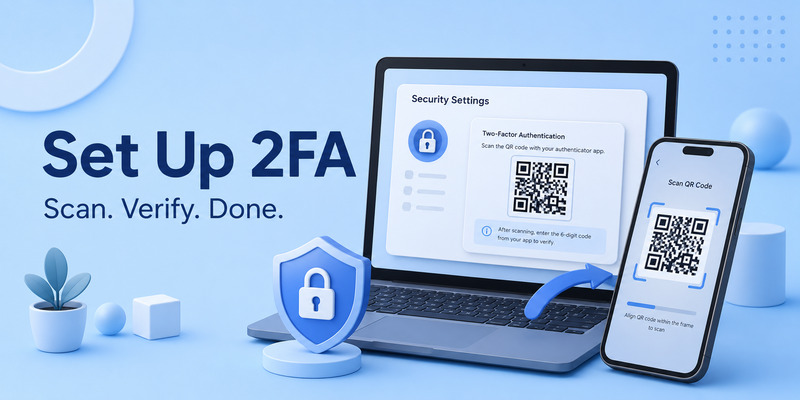
When you turn on two-factor authentication for a website, the website gives you a unique secret. It may display this secret as a QR code or as a manual setup key.
You scan the QR code with the app. Your authenticator then stores the secret and uses it with the current time to generate temporary verification codes.
The QR-code setup process
A typical setup looks like this:
- Sign in to a website.
- Open its Security or Two-Factor Authentication settings.
- Choose Authenticator App.
- The website displays a QR code.
- Open your authenticator and choose Add Account.
- Scan the QR code.
- The app creates a current verification code.
- Enter the code back on the website to confirm setup.
The QR code is sensitive. It contains the secret needed to generate future codes. Anyone who scans or copies it may be able to create the same codes as you.
Why codes change
Time-based codes are short-lived by design. The app and website use the same secret plus the current time to create a matching number. The number may change every 30 seconds.
This means a code captured from a previous login quickly becomes useless. It also makes it harder for attackers to reuse old authentication data.
Why codes can work offline
Most authenticator codes are generated locally. Your phone does not need mobile service, Wi-Fi, or an active data connection to display a code after setup.
That is one reason many people prefer an authenticator over SMS verification while traveling or when phone service is unavailable.
4. Authenticator App vs SMS Verification
Both SMS verification and an authenticator app can add a second factor. However, they work differently.
| Method | How it works | Main consideration |
| SMS code | Code arrives by text message | Depends on phone number and mobile service |
| Voice call | Code is delivered through a call | Depends on phone access and service |
| Authenticator app | Code is generated locally | Requires secure device and recovery planning |
| Security key or passkey | Uses a physical key or device credential | Can offer stronger phishing resistance |
Advantages of authenticator apps
An authenticator app can work offline and does not rely entirely on a mobile carrier. This can reduce exposure to some phone-number attacks, including SIM swaps.
It is also faster for many users. You open the app, copy or type the code, and continue signing in without waiting for a text message.
Limits to remember
The authenticator App still needs protection. If someone unlocks your phone, accesses your synchronized backup, or tricks you into sharing a current code, your account may still be at risk.
The best approach is not to choose only one security habit. Use an authenticator alongside strong passwords, updated devices, secure email, and phishing awareness.
5. How to Set Up an Authenticator App
Setting up an authenticator is usually easy, but you should do it carefully.
Step 1: Choose a trusted app
Download an authenticator only from an official app store, trusted software publisher, or official website. Avoid unknown apps with similar names, random download links, or links sent through social media messages.
Step 2: Protect the device first
Before adding codes, set a strong phone passcode and enable biometrics if available. Keep the operating system updated and turn on remote-device location or wipe tools when practical.
Step 3: Enable 2FA on the account
Open the security settings for the account you want to protect. Choose the authenticator-app option instead of SMS if it fits your needs.
Step 4: Scan the QR code
Use the app camera to scan the setup QR code. If scanning does not work, the website may offer a manual key. Enter it only into your trusted app.
Step 5: Save recovery codes
Most websites provide backup or recovery codes. Store them somewhere secure, separate from your phone. A password manager, encrypted storage, or a protected offline copy can be good choices.
This recovery step is essential. Knowing what is authenticator app is useful, but knowing how to recover access is what prevents a lost phone from becoming a locked account.
6. Examples of Using an Authenticator App
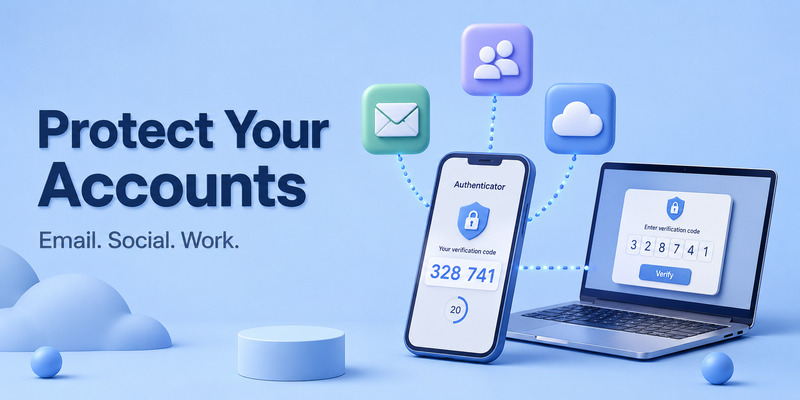
Example: Securing an email account
Email is often the recovery path for other accounts. If someone gets into your email, they may reset passwords elsewhere.
Enable 2FA on your email first. Scan the QR code with the authenticator, enter the generated code, and save the service’s recovery codes.
Example: Protecting a social-media account
Social-media accounts can be targets for impersonation, scams, and unauthorized advertising. Go to the account’s Security settings, choose two-factor authentication, then connect your app.
When the platform asks for a code during a new login, open the correct account entry in your authenticator and enter the current number.
Example: Protecting a work account
Businesses often require two-factor authentication for email, dashboards, cloud systems, and internal tools. Follow your organization’s approved security policy. Do not create an unapproved backup or store work secrets in a personal, unsecured app.
Example: Signing in while traveling
Suppose you are abroad with no local mobile service. An SMS code may be delayed or unavailable. An authenticator app can still show your existing TOTP code offline, allowing you to sign in if you have internet access for the website itself.
7. What Happens If You Lose Your Phone?
A lost phone is the main reason you need a recovery plan before an emergency happens.
Use backup recovery codes
If you saved recovery codes from the website, use one to sign in. Afterward, remove the old authenticator and set up a new one.
Restore a backed-up authenticator
Some authenticator apps support secure backups or device transfers. If you use one, make sure you understand its recovery password, encryption model, and device-approval process.
Do not assume every app automatically restores codes after reinstalling it. Some authenticator apps store data locally only.
Use the official account-recovery process
If you have no old phone, backup app, or recovery codes, use the official recovery flow for each affected service. Be prepared to verify account ownership.
Never trust a person or website that promises to bypass 2FA, generate your code, or restore your account instantly for a fee. These offers are often scams.
8. How to Choose an Authenticator App
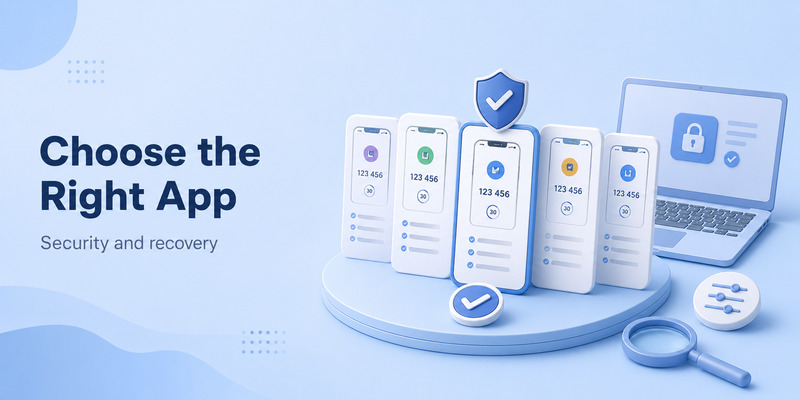
When choosing an app, focus on your actual needs rather than only popularity.
Consider backup and recovery
Do you need encrypted cloud backup, multi-device synchronization, or simple local-only storage? Each option has different tradeoffs.
Local-only storage can reduce cloud exposure but may be risky if you lose the device without a backup. Cloud syncing can improve recovery but requires you to protect the account and backup password carefully.
Consider your devices
Some apps support only mobile devices. Others may support tablets, desktops, browsers, or multiple operating systems. Choose an option that fits your normal login habits without forcing you to use an insecure device.
Consider security controls
Useful features may include:
- App lock or biometrics.
- Encrypted backup.
- Password protection.
- Device management.
- Secure export and import.
- Offline code generation.
- Clear recovery guidance.
The best authenticator App is one you can use consistently, secure properly, and recover from responsibly.
9. Common Authenticator App Problems
The code does not work
First, make sure you selected the correct account entry. Many people have multiple codes for the same service or different accounts.
Next, wait for a new code if the timer is almost finished. Also turn on automatic date, time, and time zone settings on your phone. TOTP codes depend on accurate time.
The QR code will not scan
Allow camera access for the app. If scanning still fails, use the manual setup key offered by the website. Do not manually type a secret from an email or third-party message.
The app was deleted accidentally
Reinstalling may not restore tokens unless you used a backup-enabled app. Try a secondary device or backup method first. If unavailable, use the official recovery process for each account.
You see an unexpected login request
Do not enter or share a code. Change your password directly on the official website, review active sessions, and secure your email account.
10. Security Best Practices

A good answer to what is authenticator app includes the responsibility that comes with using it.
Keep codes private
Never share a current code with another person. Legitimate support staff should not need your live authenticator code, QR code, or setup key.
Secure your email first
Your email account is often the key to password resets. Use a unique password and strong 2FA on email before protecting less critical accounts.
Store recovery information separately
Do not keep recovery codes only inside the same phone that contains your authenticator. If the phone is lost, you may lose both your codes and your recovery path.
Watch for phishing
Always check the domain before entering your password or code. Attackers can build pages that look almost identical to legitimate services.
Review old devices
Remove access from old phones, browsers, tablets, and computers. If a device is lost or sold, sign it out remotely and update security settings quickly.
11. Frequently Asked Questions
What is authenticator app used for?
An authenticator app generates temporary verification codes used for two-factor authentication. It helps protect account access beyond a password alone.
Is an authenticator app free?
Many authenticator apps offer free code generation. Backup, syncing, or premium security features may vary by provider.
Do I need internet to use an authenticator app?
Usually no. Existing TOTP codes can normally be generated offline. You still need internet access to sign in to the website requesting the code.
Can I use one authenticator app for multiple accounts?
Yes. Most authenticators can store separate entries for many websites and accounts.
Can an authenticator app be hacked?
No security method is perfect. An app is much safer when the device is locked, updated, malware-free, and protected from phishing. Never share codes or setup secrets.
Should I use an authenticator app or SMS?
An authenticator app is often preferable because it works offline and is less dependent on your phone number. However, you should still keep a secure recovery or backup method.
12. Final Thoughts
So, what is authenticator app? It is a practical tool that creates temporary verification codes and adds a second layer of defense to your online accounts.
Its role is simple but important: a password alone should not be enough for someone to access your email, social media, shopping account, work tools, or financial services. By requiring a short-lived code from a trusted device, an authenticator app makes many common account-takeover attacks much harder.
Set one up first for your email, save recovery codes, protect your phone, and never share authentication secrets. With those habits in place, an authenticator app becomes one of the most useful everyday tools for online security.
Download Authenticator App
Secure your accounts with fast, reliable two-factor authentication. Download now and protect your login in seconds.
